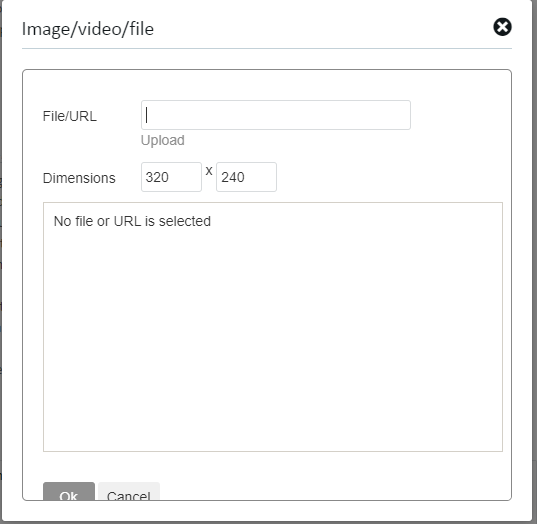
I can't insert pictures

I can't insert images in this post:

https://community.sdl.com/product-groups/translationproductivity/f/studio/30616/100-matches-not-displayed#

I Haven't got the Upload link to insert pictures:
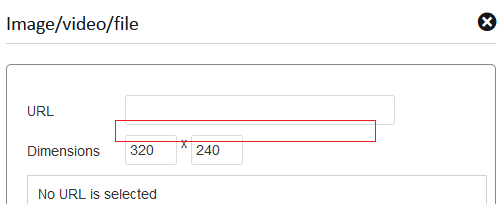
Pasting doesn't work either.

No problem with other posts, like this one:
https://community.sdl.com/product-groups/translationproductivity/f/studio/30615/error-message-there-were-no-relevant-files-found-in-the-bundle-zip-after-installing-sr2-for-studio-2019-and-working-on-xlf-files-coming-from-lingo-madcap

No problem either with this post.

Same browser used.

Somebody check it please.

Have a nice weekend!

… Jesús Prieto …

Parents Reply
  • I just tried again in the same discussion thread and today (as it is a Thursday?) it does work and it gives me the correct window with the upload button and the file/url entry:Screenshot of Trados Studio upload window with FileURL entry box, an 'Upload' button, and a message stating 'No file or URL is selected'.

    While yesterday (because it was a Wednesday?) it did give a window with only the label 'URL' and no clickable upload text below the entry box. (yes, I should have taken a screenshot...too late now)

    Any idea why this could have been the case? 

    emoji


    Generated Image Alt-Text
    [edited by: Trados AI at 3:46 AM (GMT 0) on 5 Mar 2024]
Children